Political campaign management tools are no longer “nice to have”; they are the difference between barely holding things together and running a disciplined, data‑driven operation that actually wins close races. When campaigns treat software as an integrated operating system for volunteers, field, and voter contact, they reclaim staff time, activate more supporters, and make better decisions, faster.[1][2][3][4]
From Spreadsheet Chaos to a Real Campaign OS
Picture the last big canvass weekend: staff juggling three spreadsheets, a free sign‑up form, and a group chat, only to discover that 30% of “confirmed” volunteers never got the final details. That’s the hidden tax of the typical Frankenstack of free tools and one‑off apps. Teams in this situation report late‑night scrambles to reconcile lists, manual reminder texts, and missed shifts that quietly shave votes off the margin.[2][3][5][1]
Campaigns that win repeatably operate from a campaign OS: one place to track volunteers, events, voter contact, and communications so field organizers and managers share a single, live picture of reality. With that foundation, campaigns can see where they’re short on capacity, which events actually produce votes, and which volunteers are ready for leadership instead of guessing from fragmented data.[4][6][1]

Why Typical Campaign Stacks Quietly Fail
Most political teams assemble a “Frankenstack” of free volunteer sign‑up platforms, generic CRMs, and standalone texting tools, hoping to save money. In practice, this creates data silos, forces organizers to maintain side spreadsheets, and makes it impossible to answer basic questions like “Who actually showed up last weekend?” with confidence.[7][1][2][4]
Volunteer‑heavy organizations outside politics have documented the same pattern: without a unified system, double‑booked shifts, missed follow‑ups, and poor retention are common, because volunteers feel their time is wasted and communications are inconsistent. Political campaigns then pay twice—once in staff hours spent patching systems together, and again in lost doors knocked and calls made.[3][5][8][4]
What a Unified Campaign Operating System Looks Like
Most campaigns think the problem is “needing better point solutions”; the campaigns that scale volunteers reliably think in terms of a campaign operating system.
A true OS starts with a single volunteer and supporter database tied to actions and outcomes, not just email addresses. Every sign‑up from your website, social content, or coalition partners flows into that database, and you can see what each person actually did—shifts led, doors knocked, calls made, voters registered.[1][3][4]
On top of that, campaign‑grade workflows, real‑time dashboards, and integrated communications let managers respond to reality instead of guesswork. Leaders can spot under‑resourced districts, identify high‑conversion events, and promote emerging volunteer captains using live data rather than gut feel.[6][4][1]

The Essential Tool Categories
Most campaigns think of tools as a shopping list; the ones that create leverage map tools to specific failure points in their field and volunteer operations.
Volunteer management and scheduling
Volunteer management software built for campaigns replaces ad‑hoc sign‑up forms with structured onboarding, shift scheduling, and time tracking. Case studies from large civic organizations show that switching to dedicated volunteer platforms can increase application processing speed from roughly 3–5 per hour to over 10 per hour and deliver attendance rates as high as 99% across thousands of shifts.[5][8][9][1]
For political campaigns, that translates into fewer no‑shows and far more reliable field plans: branded sign‑up pages, role‑specific onboarding, automated confirmations and reminders, and live rosters for field leads without passing around spreadsheets. Over time, this data reveals super‑volunteers and natural captains, allowing you to design leadership tracks instead of treating every supporter as interchangeable.[3][4][1]
- Internal follow‑up: link “volunteer management software for modern campaigns” to your detailed Vox Populus guide on that topic.[1]
Political CRM and voter database
Many campaigns treat the CRM as a glorified email list; the campaigns that scale treat it as the backbone that connects fundraising, voter contact, and volunteer engagement.
Campaign CRMs designed for politics provide voter history, contact attempts, survey responses, and supporter tags in one record, drastically reducing duplication and confusion across field and digital teams. Platforms like NGP VAN and similar solutions integrate with field tools, fundraising systems, and SMS platforms so every interaction enriches the same profile instead of creating another silo.[10][2][4]
Labor‑ and movement‑focused CRMs have already powered volunteer bases of around 95,000 people in major city campaigns by automating follow‑ups, calendar invites, and reminders. The lesson for your campaign: when you centralize data and automate routine outreach, staff can spend their time training people, not chasing them.[3]
- Internal follow‑up: link “voter file and campaign CRM” to any internal piece explaining data foundations for campaigns, if available.

Text messaging and SMS campaign tools
Most campaigns still think of texting as a last‑minute GOTV blast; the ones that win close races use SMS as a continuous command channel for voters and volunteers.
Political SMS programs reach supporters quickly, with open rates near 98% and most messages read within minutes. Modern platforms enable targeted reminders, micro‑polls, fundraising asks, and quick RSVP flows that are personalized based on geography, past actions, and issues.[11][12][10]
Vendor data and case studies indicate that well‑run SMS campaigns can measurably increase turnout by providing timely, practical information about polling locations, early voting, and transportation, especially in local and midterm races where information gaps are larger. When these tools are integrated with volunteer and field systems, campaigns can fill last‑minute shifts, adjust to weather disruptions, and coordinate GOTV blitzes via text instead of phone trees.[13][14][10][11]
- Internal follow‑up: link “text message campaigns in political marketing” to your Vox Populus SMS article.
Field operations and canvassing tools
Most campaigns assume that walk lists and clipboards are “good enough”; the ones that scale distributed field programs treat canvassing tools as part of the same OS as volunteers and CRM.
Field‑operations and canvassing tools manage walk lists, turf assignments, and real‑time reporting from volunteers at the doors. When these tools are integrated into the campaign OS, every knock, conversation, and survey response flows directly back into the same database the rest of the campaign uses.[9][2][4]
Digital organizing suites highlight case studies where coordinated canvassing plus peer‑to‑peer outreach, all powered through a unified platform, allowed organizations to support multiple campaigns and causes simultaneously without losing track of who was doing what. For consultants or state parties, that unified view is what makes it possible to intervene early when a race is clearly under‑performing its field targets.[6][9]

Dashboards and analytics
Many managers think “reports” are enough; the organizations that keep improving treat dashboards as daily operating tools.
Analytics turn raw activity into decisions: which events convert, which districts are behind, which messages move volunteers and voters. Organizing platforms report that smart, automated reminders and follow‑ups tied to analytics can boost event RSVPs by up to about 40%, which directly increases doors knocked and calls made.[4][5][1]
By tracking pipelines such as recruited → trained → scheduled → retained, as well as voter contact progress versus goals, campaign leadership can see at a glance where to deploy more staff or volunteers. Consultants and coalition leads can compare district‑level dashboards side by side, quickly identifying campaigns that are executing field plans and those that are falling behind.[6][1][3]
Case Study 1: The Citywide Labor Campaign
Scenario: A major city campaign partnered with a labor‑focused CRM originally built for worker organizing and used it to power a volunteer base of roughly 95,000 people.[3]
What changed:
- Every supporter who engaged with digital content flowed into one system with tags for issue, location, and union affiliation.[3]
- Automated follow‑ups and calendar invites nudged people toward concrete actions—trainings, canvasses, phone banks—without staff manually chasing each person.[3]
- Staff spent their time developing leaders and refining scripts instead of managing spreadsheets.
Results and lesson: That structure turned bursts of online attention into a stable volunteer corps that could be directed toward high‑priority turf rather than chasing the news cycle. The lesson for your campaign: if you want to run a “people‑powered” effort, you need a CRM and workflows that treat volunteer energy as a pipeline, not as random moments of enthusiasm.[6][3]
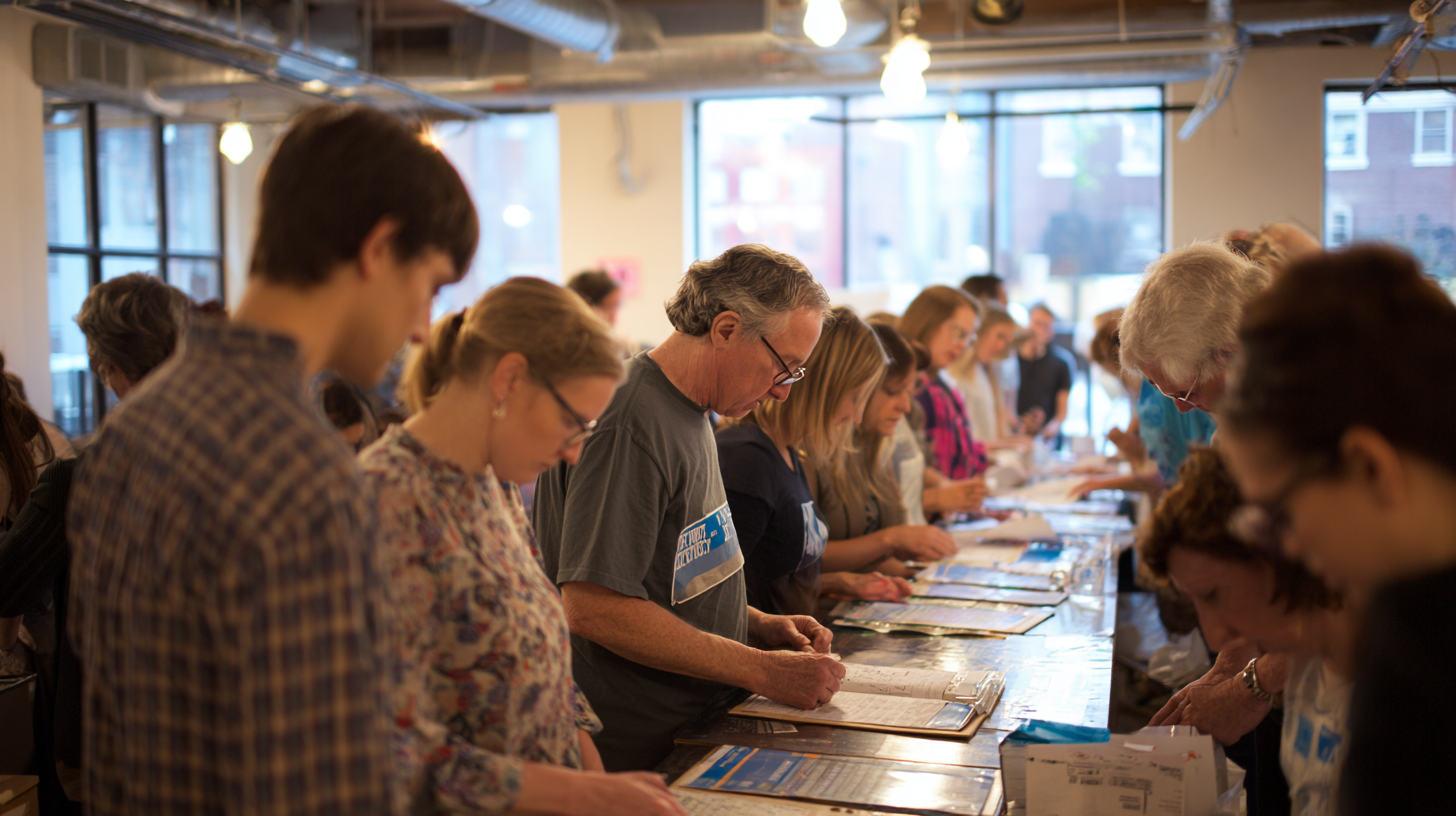
Case Study 2: The Three‑Person Team That Punched Above Its Weight
Scenario: Small civic organizations using modern volunteer management software have shown how a tiny staff can deliver big results when their workflows are tight.[8][5]
What changed:
- One platform reported that staff could process 10–12 volunteer applications per hour instead of 3–5 with the old system, thanks to automated screening and communication templates.[8]
- Another organization achieved a 99% attendance rate across more than 4,000 shifts by using clear confirmations, reminders, and easy self‑service scheduling.[5][8]
Results and lesson: For a three‑person campaign team, the same mechanics mean more doors knocked and calls made without hiring more staff—simply by reducing friction and uncertainty for volunteers. Your takeaway: before adding more tools or staff, fix your pipeline so volunteers always know where to go, what to do, and how it fits into the bigger plan.[9][5]
Case Study 3: SMS as a Volunteer Command Channel
Scenario: Campaigns increasingly use SMS as their primary command channel for volunteers, not just voters.[14][11]
What changed:
- Organizers send targeted texts to specific volunteer cohorts—such as trained canvassers in a given precinct—when they need urgent shift fills or schedule changes.[10][14]
- Micro‑polls and quick feedback surveys help the team understand which events work, which scripts land, and where volunteers feel blocked.[12][11]
Results and lesson: With open rates near 98% and near‑instant reads, these programs achieve faster responses and better attendance than relying on email or social posts alone. The lesson: if you treat SMS as your volunteer command channel and tie it to your CRM and volunteer tools, you can steer capacity almost in real time.[11][13]

How to Choose the Right Tools for Your Campaign
Instead of asking “What’s the best tool?”, start by asking “Where is our current system failing us the most?”.
Step 1: Map your current stack
- List where volunteers sign up, how they are scheduled, how they are reminded, and where you record what happened.
- Identify the failure points: missed shifts, low retention, poor data quality, or weak GOTV follow‑through.[2][7]
Step 2: Prioritize integration and usability
- Choose tools that integrate with your voter file and CRM so you avoid manual exports and conflicting lists.[2][4]
- Ensure your field team can use the tools easily from their phones; if it only works in the office, it will not be adopted in the field.[15][9]
Step 3: Demand proof, not just features
- Look for vendors and case studies that show concrete outcomes: higher attendance, faster onboarding, increased contact rates.[8][6]
- Ask how they measure success and what dashboards you’ll have to monitor your own progress.
Step 4: Pilot, then standardize
- Run a pilot in one race or region where you centralize all volunteer sign‑ups, assignments, and communications into your chosen OS.[4][1]
- Compare participation, completed shifts, and contact rates against the previous cycle, then roll out the winning patterns across the rest of your campaign.
Image Guide for Your Designer (Optional)
To keep visuals consistent and on‑brand, share a simple style guide with your designer or Midjourney prompts:
- Overall feel: Documentary‑style, hopeful photography—real people, real work, not stock‑photo smiles.[16][17]
- Color: Natural daylight or warm indoor lighting, slightly warm grading, avoid harsh contrast or overly partisan color palettes.
- Subjects: Volunteers canvassing, staff coordinating in modest offices, dashboards on screens, people interacting with devices (tablets, phones, laptops) in realistic settings.
You can reuse and adapt the prompts in each section to create a coherent image set for your article, landing pages, and slide decks.
Next Steps and Further Reading
If your campaign is still juggling volunteers across spreadsheets, disconnected texting tools, and ad‑hoc CRMs, the fastest win is to define your campaign OS and standardize around it for volunteer management, field, and SMS.[1][2]
- Read more on volunteer management software for modern campaigns to compare options and architectures.[1]
- Dive into text message campaigns in political marketing to design SMS programs that respect voters and volunteers while driving action.[18][11]
- Use an internal campaign tech stack audit checklist (or create one) to map your current tools and identify where a unified platform would create the most leverage first.[19][20]
The campaigns that make these decisions now will be the ones treating grassroots energy as a reliable asset they can deploy—not as a last‑minute miracle they hope will show up on Election Day.[21][16]
References
- https://voxpopulus.us/articles/volunteer-management-software-modern-political-campaigns ↩ ↩2 ↩3 ↩4 ↩5 ↩6 ↩7 ↩8 ↩9 ↩10 ↩11 ↩12 ↩13 ↩14
- https://polapp.co/blog/software-for-electoral-campaigns/ ↩ ↩2 ↩3 ↩4 ↩5 ↩6 ↩7 ↩8
- https://campaignsandelections.com/industry-news/how-a-labor-focused-crm-powered-mamdanis-volunteer-program/ ↩ ↩2 ↩3 ↩4 ↩5 ↩6 ↩7 ↩8 ↩9 ↩10 ↩11
- https://www.ngpvan.com/solutions/political-organizing/ ↩ ↩2 ↩3 ↩4 ↩5 ↩6 ↩7 ↩8 ↩9 ↩10 ↩11 ↩12
- https://volunteerhub.com/blog/how-volunteer-management-software-stretches-limited-resources ↩ ↩2 ↩3 ↩4 ↩5 ↩6 ↩7
- https://www.impactive.io/case-studies ↩ ↩2 ↩3 ↩4 ↩5 ↩6
- https://www.reddit.com/r/RunForIt/comments/ncier/resource_political_campaign_software/ ↩ ↩2
- https://www.rosterfy.com/case-studies ↩ ↩2 ↩3 ↩4 ↩5 ↩6
- https://qomon.com ↩ ↩2 ↩3 ↩4 ↩5
- https://www.plivo.com/guide/political-text-messaging/ ↩ ↩2 ↩3 ↩4
- https://www.eztexting.com/resources/sms-resources/what-political-campaigns-can-learn-text-marketing ↩ ↩2 ↩3 ↩4 ↩5 ↩6
- https://goodparty.org/blog/article/sms-marketing-for-political-candidates ↩ ↩2
- https://www.textedly.com/political-text-message-marketing-sms-campaign ↩ ↩2
- https://www.reddit.com/r/Campaigns/comments/1pk8wrj/text_message_campaigns_as_a_volunteer_command/ ↩ ↩2 ↩3
- https://www.theedublogger.com/10-tips-for-making-your-blog-posts-easier-to-read/ ↩
- https://propellant.media/native-advertising-for-political-campaigns-how-content-marketing-influences-voter-sentiment/ ↩ ↩2
- https://www.stackadapt.com/resources/blog/digital-political-advertising ↩
- https://voxpopulus.us/articles/volunteer-software-modern-campaigns ↩
- https://searchengineland.com/internal-links-seo-best-practices-examples-tips-448047 ↩
- https://www.siteimprove.com/blog/internal-linking-strategy-for-seo/ ↩
- https://www.mentionlytics.com/blog/political-marketing-campaigns/ ↩